

0 - 999 Contacts
£140 Monthly
1000 - 2,499 Contacts
£240 Monthly
2,500 - 4,999 Contacts
£340 Monthly
5000 - 9,999 Contacts
£400 Monthly
10,000 - 14,999 Contacts
£460 Monthly
15,000 - 24,999 Contacts
£520 Monthly
25,000 - 49,999 Contacts
£600 Monthly
Hatch integrates intelliflo office (IO) with HubSpot, keeping client and prospect data in sync across both platforms. Hatch lets financial advice firms:
- Sync contacts and companies two-way between Intelliflo Office and HubSpot, so advisers always work from the same up-to-date record
- Map HubSpot owners to Intelliflo Office advisers, keeping ownership consistent across systems
- Report on plans and pipeline in HubSpot, giving sales and service teams visibility without needing to log into Intelliflo Office
Install Hatch
Before installing, you'll need your account whitelisted for Hatch. Request a pricing quote from the Karman Digital team, who will confirm your setup requirements and arrange whitelisting.
Once whitelisted:
-
Log in to Intelliflo Office.
-
Navigate to the App Store.
-
Locate the Hatch listing.
-
Click Install.
-
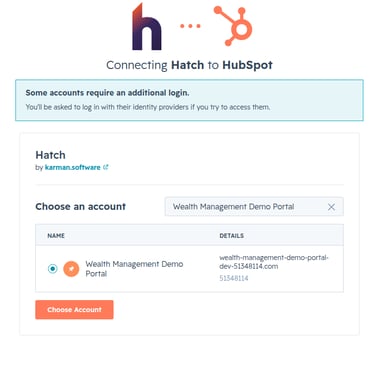
You'll be prompted to connect a HubSpot account. Select the HubSpot account you want to sync with Intelliflo Office.
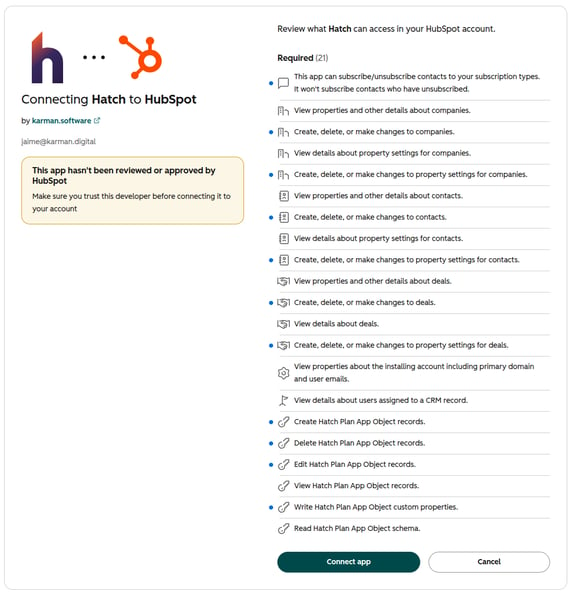
- Review the requested scopes. Hatch requests access to read and write contacts, companies, and deals, and to read and edit related properties.
-
Click Connect app.
-
You'll be redirected back to the Intelliflo Office app page, where a success message confirms Hatch has installed correctly.
Configure Hatch
Once installed, our team will work with you directly in HubSpot to configure your initial setup. This includes:
-
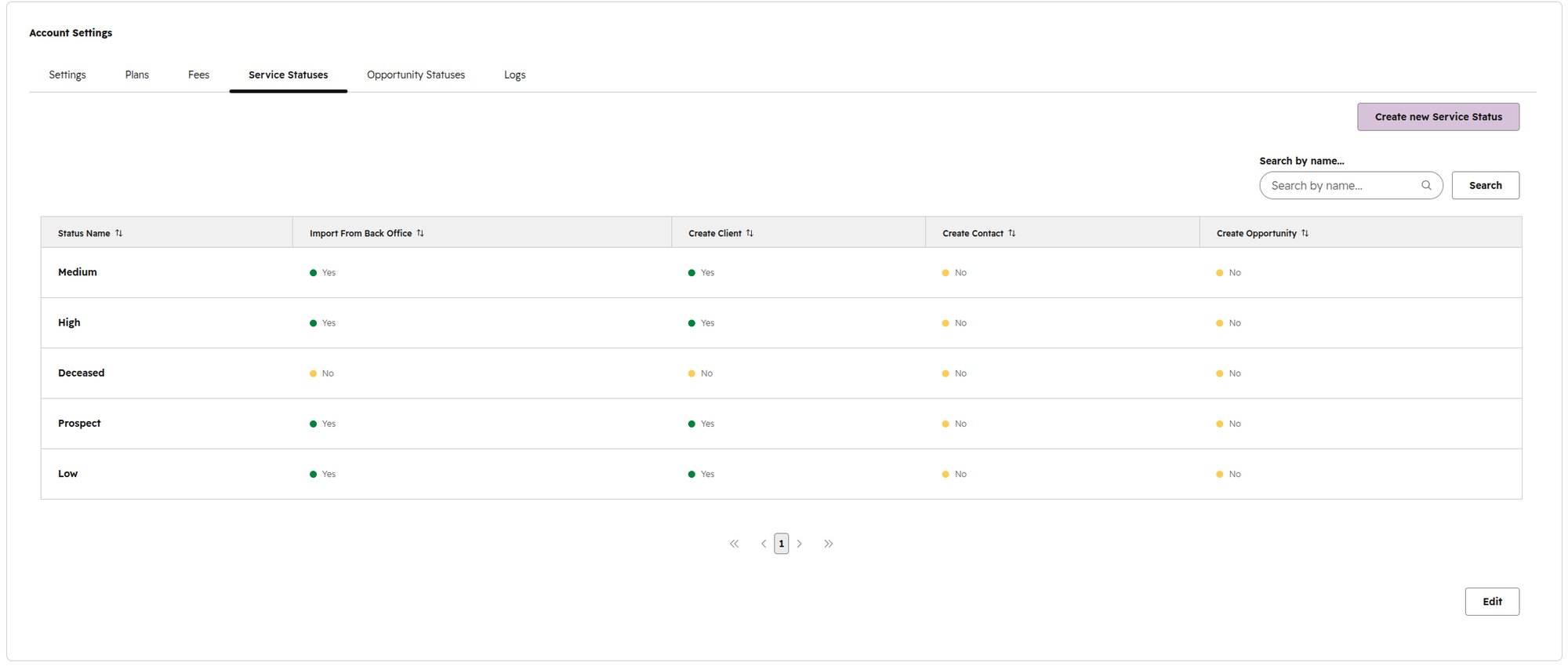
Setting up your Service status, so your Intelliflo Office and HubSpot records are mapped correctly from the outset.
-
Configuring your sync rules for importing existing data.
- Reviewing and confirming HubSpot owner mapping against your Intelliflo Office advisers, so contacts, owners, and records align correctly before the first sync runs.
- Once sync rules and owner mapping are confirmed, you'll choose whether to sync existing records or only new records going forward, then switch the sync on.
Use Hatch
Once configured, Hatch keeps your intelliflo office and HubSpot data in sync automatically. Contact and company records, HubSpot owner mapping, and pipeline reporting update as changes happen in either system, with no manual action required.
Disconnect Hatch
Note: If you disconnect your HubSpot account from Hatch, data will stop syncing however custom properties and existing data will remain in HubSpot.
-
Log in to Intelliflo Office.
-
Navigate to the App Store.
-
Locate the Hatch listing.
-
Click Disconnect.
-
Confirm the disconnection when prompted.
Uninstall Hatch
To uninstall Hatch from your HubSpot account, follow the instructions in HubSpot's Knowledge Base article on uninstalling apps:
https://knowledge.hubspot.com/integrations/connect-apps-to-hubspot#uninstall-an-app
To remove Hatch from your intelliflo office account, follow the same steps under 'Disconnect Hatch'.
Want to learn more?
Book a meeting today or please leave a message and we will be in touch.